
Vietnam Pre-Arrival Form for Ho Chi Minh City Airport (Effective 15 April 2026)
Effective April 15, 2026, Vietnam has implemented a mandatory online pre-arrival immigration declaration for international travelers arriving at Tan Son Nhat International Airport (SGN) in Ho Chi Minh City. This digital shift aims to reduce congestion, and shorten inbound processing times.
Quick Facts & Information
Effective Date: April 15, 2026.
Applicable Airport: Currently only Tan Son Nhat (SGN) in Ho Chi Minh City (expected to expand to other airports soon).
Who Must File:
- All foreign passport holders (including nationalities who do not require a visa to enter Vietnam, e-visa holders, visa on arrival travelers).
- Overseas Vietnamese entering with a valid visa.
Who is Exempt:
- Vietnamese passport holders.
- Transit passengers (staying in the airside transit area).
Quick Fact:
Over the initial 15-day pilot period (April 15 to April 30, 2026), the PAI (pre-arrival information) system successfully completed its launch phase with promising results. Total registrations reached 161,596, with 119,854 successful completions.
Step-by-Step Guide for Arrivals
Step 1: Gather Required Information
Before starting the form, make sure that you have the following details ready:
- Full name (as written in your passport).
- Passport number and nationality.
- Visa details (e-visa number or visa exemption type).
- Flight details (Airline and Flight Number).
- Address of your accommodation in Vietnam (Hotel name/address).
Step 2: Complete the Declaration
The Immigration Department strongly advises completing this pre-arrival form before your departure to Vietnam (up to 3 days in advance) to avoid delays.
1- Access the Portal: Go to the official website: https://prearrival.immigration.gov.vn/ & select "Create & Submit Pre-arrival Information"
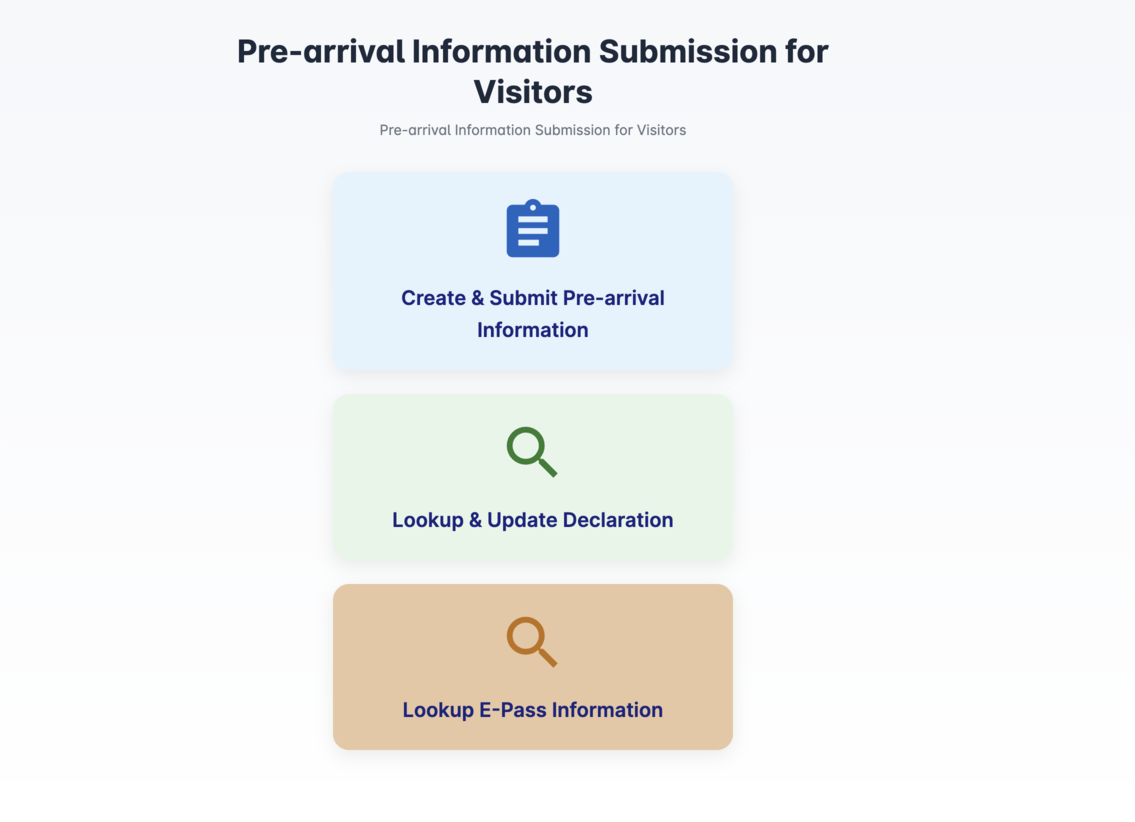
2 - Fill in the Form: Enter your personal, flight, and stay, visa number information accurately.
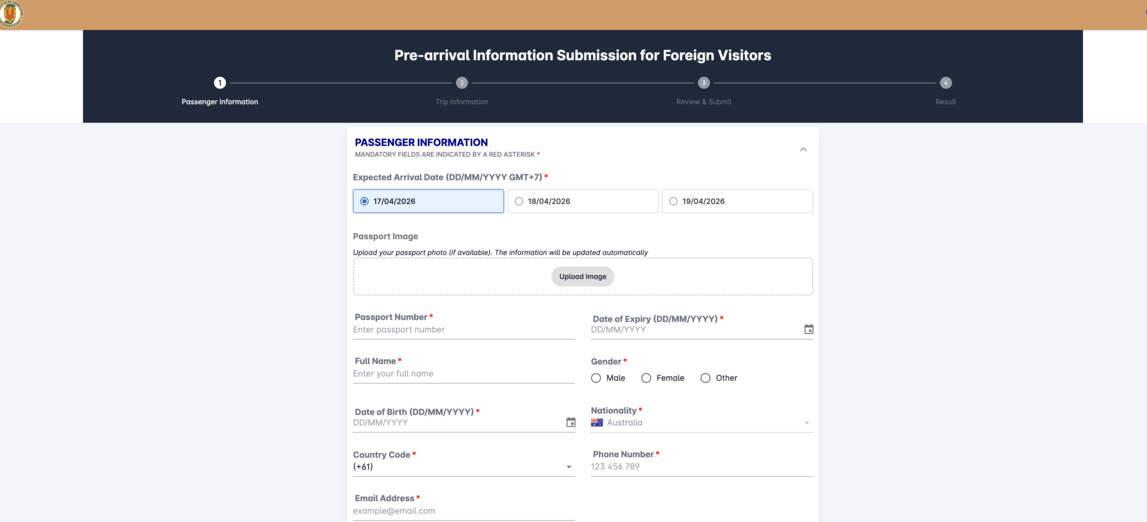
Step 3- Submit: Review your details and submit the form.
Save the QR Code: Once submitted, the system will generate a personal QR Code confirmation. Take a screenshot or save the PDF on your mobile device. (Printing a physical copy is recommended as a backup).
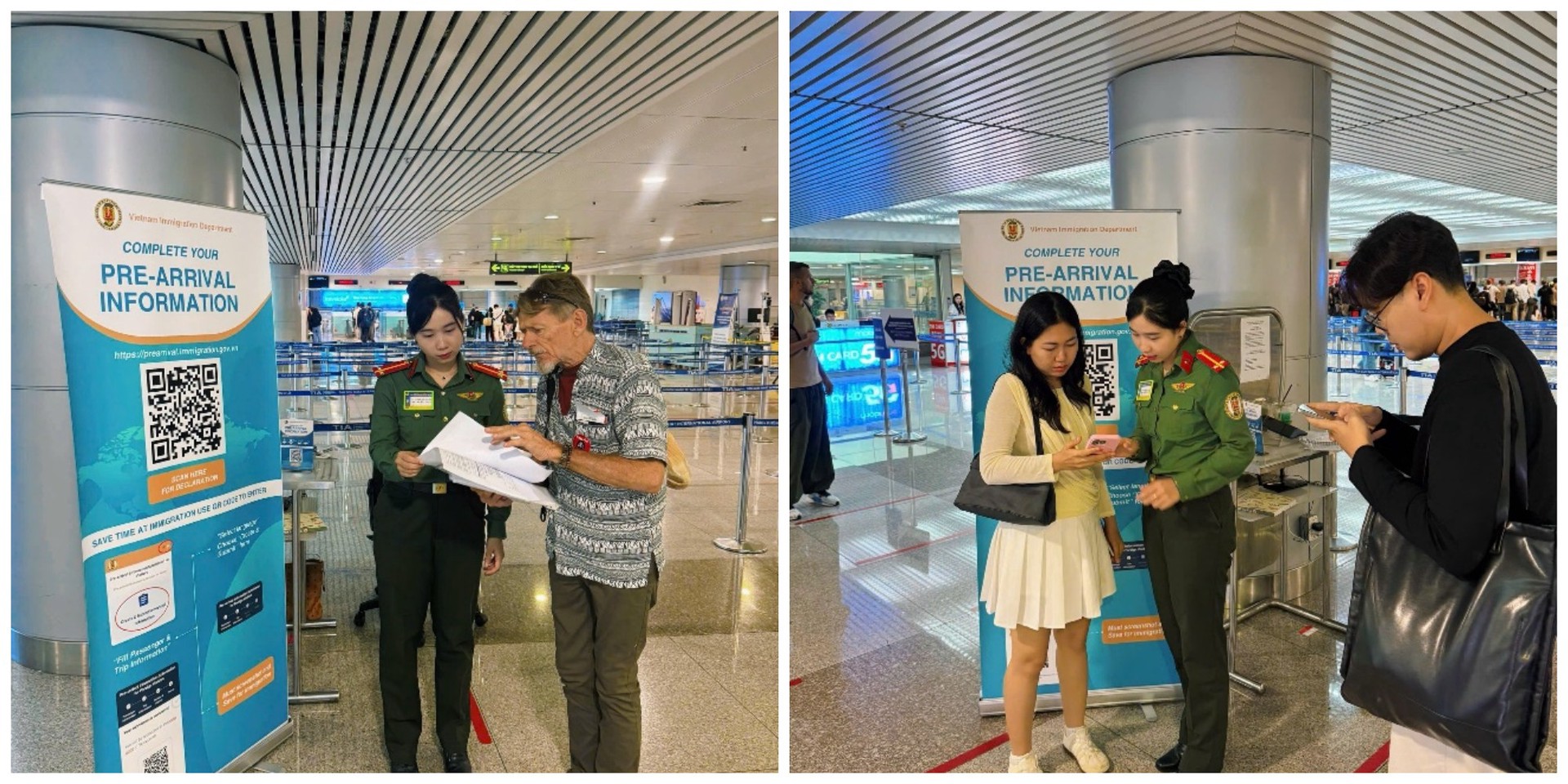
At the Immigration Counter
- Present your Passport and Visa as usual.
- When requested, show the Pre-Arrival QR Code (digital or printed) to the immigration officer.
- The officer will scan your code to verify your information, speeding up the manual entry process.
References
- Official form: https://prearrival.immigration.gov.vn/apps/submit-document
- Declaration guide (English): https://web.facebook.com/reel/1491824079048202
- Ho Chi Minh City Immigration Office: https://web.facebook.com/qlxnctphcm
Questions and Answers (09)
Hello, I cannot get to the last stage of the pre-arrival information form as I keep on getting a message: "Visa Issue date cannot be after the expected arrival date" Is this bug in the system- I have tried about 10X. Thank you, Nicholas
@Nicholas Davies, your visa date must be before your arrival date. For example, if you arrive on October 1, your visa issue date should be September 25 (it cannot be after arrival).
Hi am from Malaysia travel on to Vietnam, Da Nang on 12/9/2026 i bit confused visa information there is few selection which is visa need to choose default visa exemption by country or bilateral exemption anyone can help me out .
@Kalaimathi If you hold a Malaysian passport, please select the bilateral visa exemption option.


Frequently asked questions
1. Where can I find the e-visa number?
Locate your e-Visa number at the top of your granted E-visa document. This is the alphanumeric code: Số: 106418322/EV.
Contact sales if you have additional questions.
Contact support if you already submitted your visa application on our website.
Back to topWhy apply with us
- 99% on time delivery
- Easy & simple form
- 15+ years of experience
- No hidden charges
- 100% money back guarantee for declined applications